Find help in the ElvUI documentation or join the Tukui Discord community, choose the right channel, and prepare a useful question.
Start with the documentation
Browse this site’s guides and frequently asked questions, or use search to find help with ElvUI setup, options, and common issues.
Get help on Discord
If you need more help, join the Tukui Discord community.
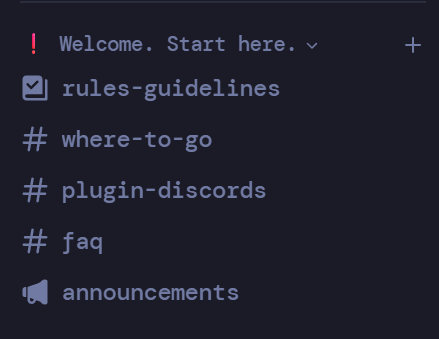
Start with the Welcome. Start here. section. Read rules-guidelines, check where-to-go to find the right channel, and look over faq. For help with a plugin, check plugin-discords for its community.
Read the channel pins
Before posting, read the pinned messages in the channel you choose. They may contain answers, troubleshooting steps, or details you need to include in your question.
Describe the issue
Explain what you expected, what happened, and how to reproduce it. Include your WoW game version and ElvUI version, relevant screenshots or error text, and troubleshooting you have already tried. Follow any additional instructions in the channel’s pins.
Ask in the channel
Post your question in the appropriate channel so the community can help. Avoid unsolicited staff DMs or pings, and follow the server rules and channel guidance.